Pix: Instant payment in Brazil
Learn how to extend your Payment Provider Protocol implementation so VTEX stores can offer Pix instant payments in Brazil.
Pix is the instant payments ecosystem implemented by the Central Bank of Brazil (BCB) to enable online money transfers with lower costs, greater security, and 24/7 availability. Transfers occur directly from the payer’s account to the payee’s account, eliminating intermediaries and reducing transaction costs.
Pix is available to both individuals and legal entities, and both need to have a Pix key registered with a financial institution, such as a bank, fintech, or payment institution, to complete a transaction.
According to the eligibility criteria set forth by the BCB, certain financial entities will be required to offer this payment method, while others may offer it voluntarily or may not be eligible to participate.
This guide explains how to extend your Payment Provider Protocol implementation so stores can offer Pix as an additional payment method to their customers.
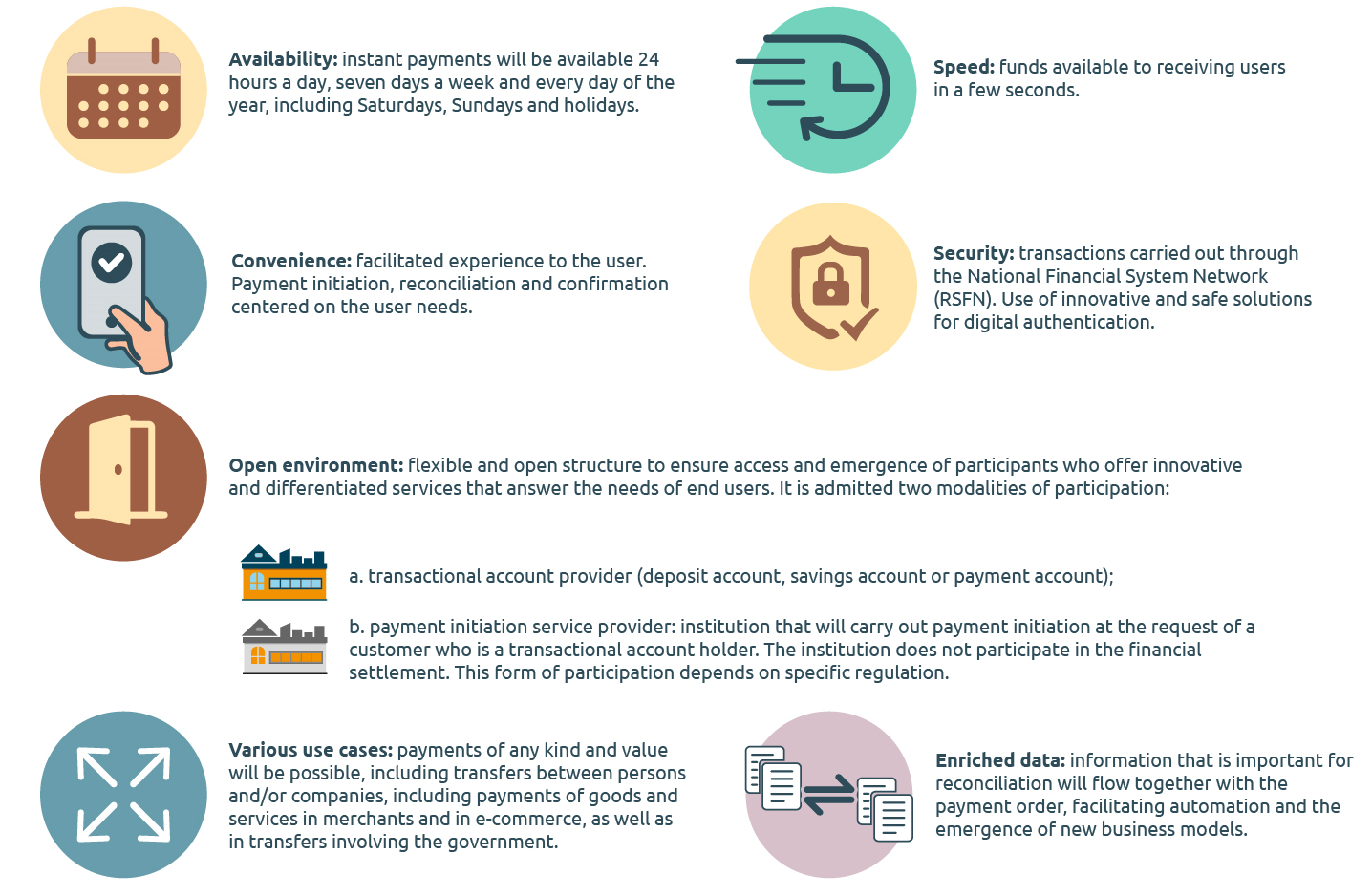
For more information about instant payments in Brazil, see the FAQ provided by the BCB.
This guide assumes that you are already a VTEX partner and that you understand how the Payment Provider Protocol works.
Integration conditions
Before developing the middleware that implements the Payment Provider Protocol, review the following requirements:
- All endpoints must be served over HTTPS on port 443 with TLS 1.2 support: Connections over non-secured HTTP won't be accepted under any circumstances.
- The integrator must create a subdomain or a domain name for the provider endpoints: IP addresses won't be accepted as names under any circumstances.
- The middleware must consistently respond within the established response times: VTEX enforces a maximum response time of 5 seconds for homologation tests and 20 seconds for any other API request.
The Payment Provider Protocol describes nine endpoints, but not all of them apply to Pix. These endpoints are divided into two provider flows:
- Payment flow: six endpoints, all required for Pix.
- Configuration flow: three optional endpoints, currently not available for Pix.
The following table details the applicability of each endpoint to Pix:
| Provider Flow | Endpoint | Applicable to Pix? |
|---|---|---|
| Payment | List Payment Provider Manifest | ✅ Yes |
| Payment | Create Payment | ✅ Yes |
| Payment | Cancel Payment | ✅ Yes |
| Payment | Capture Payment | ✅ Yes |
| Payment | Refund Payment | ✅ Yes |
| Payment | Inbound Request (BETA) | ✅ Yes |
| Payment | Create Authorization Token | ⛔ No |
| Payment | Provider Authentication | ⛔ No |
| Payment | Get Credentials | ⛔ No |
Pix isn't available for marketplaces that use Checkout Split.
The following JSON examples are illustrative. Adapt them to your own scenario, including the data required for your integration.
Integration steps
Establish the payment methods available
First, your provider must declare which payment methods it handles. To do so, implement the GET List Payment Provider Manifest endpoint.
The expected response is:
_56{_56 "paymentMethods": [_56 {_56 "name": "Visa",_56 "allowsSplit": "onCapture"_56 },_56 {_56 "name": "Pix",_56 "allowsSplit": "disabled"_56 },_56 {_56 "name": "Mastercard",_56 "allowsSplit": "onCapture"_56 },_56 {_56 "name": "American Express",_56 "allowsSplit": "onCapture"_56 },_56 {_56 "name": "BankInvoice",_56 "allowsSplit": "onAuthorize"_56 },_56 {_56 "name": "Privatelabels",_56 "allowsSplit": "disabled"_56 },_56 {_56 "name": "Promissories",_56 "allowsSplit": "disabled"_56 }_56 ],_56 "customFields": [_56 {_56 "name": "Merchant's custom field",_56 "type": "text"_56 },_56 {_56 "name": "Merchant's custom select field",_56 "type": "select",_56 "options": [_56 {_56 "text": "Field option 1",_56 "value": "1",_56 },_56 {_56 "text": "Field option 2",_56 "value": "2",_56 },_56 {_56 "text": "Field option 3",_56 "value": "3",_56 }_56 ]_56 }_56 ]_56}
Pix doesn't support payment split. For the payment methods that currently support split, see the List Payment Provider Manifest endpoint reference.
Create a Pix payment
To create a Pix payment, implement the POST Create Payment.
The request includes extensive cart data from Smart Checkout. Validate all payload fields before processing the payment.
See an example of the Create Payment request:
_74{_74 "reference": "32478982",_74 "orderId": "v967373115140abc",_74 "transactionId": "D3AA1FC8372E430E8236649DB5EBD08E",_74 "paymentId": "F5C1A4E20D3B4E07B7E871F5B5BC9F91",_74 "paymentMethod": "Pix",_74 "paymentMethodCustomCode": null,_74 "merchantName": "mystore",_74 "value": 4307.23,_74 "currency": "BRL",_74 "installments": 31,_74 "deviceFingerprint": "12ade389087fe",_74 "card": {_74 "holder": null,_74 "number": null,_74 "csc": null,_74 "expiration": {_74 "month": null,_74 "year": null_74 }_74 },_74 "miniCart": {_74 "shippingValue": 11.44,_74 "taxValue": 10.01,_74 "buyer": {_74 "id": "c1245228-1c68-11e6-94ac-0afa86a846a5",_74 "firstName": "John",_74 "lastName": "Doe",_74 "document": "01234567890",_74 "documentType": "CPF",_74 "email": "john.doe@example.com",_74 "phone": "+5521987654321"_74 },_74 "shippingAddress": {_74 "country": "BRA",_74 "street": "Praia de Botafogo St.",_74 "number": "300",_74 "complement": "3rd Floor",_74 "neighborhood": "Botafogo",_74 "postalCode": "22250040",_74 "city": "Rio de Janeiro",_74 "state": "RJ"_74 },_74 "billingAddress": {_74 "country": "BRA",_74 "street": "Brigadeiro Faria Lima Avenue",_74 "number": "4440",_74 "complement": "10th Floor",_74 "neighborhood": "Itaim Bibi",_74 "postalCode": "04538132",_74 "city": "São Paulo",_74 "state": "SP"_74 },_74 "items": [_74 {_74 "id": "132981",_74 "name": "My First Product",_74 "price": 2134.90,_74 "quantity": 2,_74 "discount": 5.00_74 },_74 {_74 "id": "123242",_74 "name": "My Second Product",_74 "price": 21.98,_74 "quantity": 1,_74 "discount": 1.00_74 }_74 ]_74 },_74 "url": "https://admin.mystore.example.com/orders/v32478982",_74 "callbackUrl": "https://api.example.com/some-path/to-notify/status-changes?an=mystore",_74 "returnUrl": "https://mystore.example.com/checkout/order/v32478982"_74}
The expected response is:
_15{_15 "paymentId": "F5C1A4E20D3B4E07B7E871F5B5BC9F91",_15 "status": "undefined",_15 "tid": "TID1578324421",_15 "authorizationId": null,_15 "nsu": null,_15 "code": "APP123",_15 "paymentAppData": {_15 "payload": "{\"code\":\"https://bacen.pix/pix/code\",\"qrCodeBase64Image\":\"iVBORw0KGgoAAAANSUhEUgAAAAIAAAACCAYAAABytg0kAAABQGlDQ1BJQ0MgUHJvZmlsZQAAKJFjYGDiSSwoyGFhYGDIzSspCnJ3UoiIjFJgf8LAxSDMwMkgwiCZmFxc4BgQ4ANUwgCjUcG3awyMIPqyLsgspwWXFu+Xeyundb6w0WL33C5M9SiAKyW1OBlI/wHihOSCohIGBsYYIFu5vKQAxG4AskWKgI4CsqeA2OkQ9goQOwnC3gNWExLkDGRfALIFkjMSU4DsB0C2ThKSeDoSG2ovCLAZGZkbhBNwKKmgJLWiBEQ75xdUFmWmZ5QoOAJDJ1XBMy9ZT0fByMDIgIEBFNYQ1Z9vgMOQUYwDIZapzMBgmQEUfIQQSxNmYNiZzsDAU4UQU5/PwMBrxMBw5GJBYlEi3AGM31iK04yNIGzu7QwMrNP+//8M9Ca7JgPD3+v////e/v//32UMDMy3GBgOfAMA4+RdqZ9YRkcAAABWZVhJZk1NACoAAAAIAAGHaQAEAAAAAQAAABoAAAAAAAOShgAHAAAAEgAAAESgAgAEAAAAAQAAAAKgAwAEAAAAAQAAAAIAAAAAQVNDSUkAAABTY3JlZW5zaG900Fpo3gAAAdJpVFh0WE1MOmNvbS5hZG9iZS54bXAAAAAAADx4OnhtcG1ldGEgeG1sbnM6eD0iYWRvYmU6bnM6bWV0YS8iIHg6eG1wdGs9IlhNUCBDb3JlIDUuNC4wIj4KICAgPHJkZjpSREYgeG1sbnM6cmRmPSJodHRwOi8vd3d3LnczLm9yZy8xOTk5LzAyLzIyLXJkZi1zeW50YXgtbnMjIj4KICAgICAgPHJkZjpEZXNjcmlwdGlvbiByZGY6YWJvdXQ9IiIKICAgICAgICAgICAgeG1sbnM6ZXhpZj0iaHR0cDovL25zLmFkb2JlLmNvbS9leGlmLzEuMC8iPgogICAgICAgICA8ZXhpZjpQaXhlbFhEaW1lbnNpb24+MjwvZXhpZjpQaXhlbFhEaW1lbnNpb24+CiAgICAgICAgIDxleGlmOlVzZXJDb21tZW50PlNjcmVlbnNob3Q8L2V4aWY6VXNlckNvbW1lbnQ+CiAgICAgICAgIDxleGlmOlBpeGVsWURpbWVuc2lvbj4yPC9leGlmOlBpeGVsWURpbWVuc2lvbj4KICAgICAgPC9yZGY6RGVzY3JpcHRpb24+CiAgIDwvcmRmOlJERj4KPC94OnhtcG1ldGE+Cl89Cn4AAAASSURBVAgdY/wPBAxAwAQiQAAAPfgEAIAu9DkAAAAASUVORK5CYII=\"}"_15 },_15 "message": "The customer needs to finish the payment flow",_15 "delayToAutoSettle": 1209600,_15 "delayToAutoSettleAfterAntifraud": 120,_15 "delayToCancel": 1800_15}
Set the Pix QR code expiration time between 15 and 60 minutes (900 and 3600 seconds). The provider must also respect the 20-second callback time limit.
For more information, access the Create Payment endpoint.
Cancel a payment
To cancel an existing payment, implement the POST Cancel Payment.
See an example of the Cancel Payment request:
_10{_10 "paymentId": "F5C1A4E20D3B4E07B7E871F5B5BC9F91",_10 "requestId": "1234"_10}
After the provider processes the cancellation, the expected response is:
_10{_10 "paymentId": "F5C1A4E20D3B4E07B7E871F5B5BC9F91",_10 "message": "Successfully cancelled",_10 "code": null,_10 "cancellationId": "1457BD07E6",_10 "requestId": "1234"_10}
For more information, access the Cancel Payment endpoint.
Settle a payment (capture)
After the transaction is successfully completed, the provider can settle the payment.
To settle the payment, VTEX sends the following request to the POST Settle Payment.
See an example of the Settle Payment request:
_10{_10 "paymentId": "5B127F1E0C944EF9ACE264FEC1FC0E91",_10 "transactionId": "611966",_10 "value": 20.0,_10 "requestId": "5678"_10}
The expected response is:
_10{_10 "paymentId": "5B127F1E0C944EF9ACE264FEC1FC0E91",_10 "settleId": "CEE16492C6",_10 "value": 20.0,_10 "code": null,_10 "message": null,_10 "requestId": "5678"_10}
For more information, access the Settle Payment endpoint.
Refund a payment
The provider must be ready to receive the following request on the POST Refund Payment endpoint.
See an example of the Refund Payment request:
_10{_10 "paymentId": "VQKIIBUVOFDBIDLKZPOWSKETDYWCMJSACDVXWFCJVSKXGYVBBVISZRJLLQEKERJEMDYEINOUMFAZZGNEDVBQBABLUKLFBSEEIGLCAQTOGOGURKLFCAHJQTDMBNKYBIST",_10 "transactionId": "611966",_10 "settleId": "31018A3281",_10 "value": 10.0,_10 "requestId": "5678"_10}
The expected response is:
_10{_10 "paymentId": "VQKIIBUVOFDBIDLKZPOWSKETDYWCMJSACDVXWFCJVSKXGYVBBVISZRJLLQEKERJEMDYEINOUMFAZZGNEDVBQBABLUKLFBSEEIGLCAQTOGOGURKLFCAHJQTDMBNKYBIST",_10 "refundId": null,_10 "value": 0.0,_10 "code": "refund-manually",_10 "message": "Refund should be done manually",_10 "requestId": "5678"_10}
This example response indicates that the provider can't process the refund automatically:
refundIdisnull,valueis0.0, andcodeisrefund-manually. In this case, the merchant must complete the refund outside the platform. If your provider supports automated Pix refunds, return the refundedvalueand a validrefundIdinstead.
For more information, see the Refund Payment endpoint reference.
Communicate with the gateway
The last endpoint, POST Inbound Request (BETA), provides a URL that enables a direct connection between the VTEX gateway and the payment provider.
See an example of the Inbound Request (BETA) request:
_10{_10 "requestId": "LA4E20D3B4E07B7E871F5B5BC9F91",_10 "transactionId": "D3AA1FC8372E430E8236649DB5EBD08E",_10 "paymentId": "F5C1A4E20D3B4E07B7E871F5B5BC9F91",_10 "authorizationId": "{{authorizationId}}",_10 "tid": "{{tid}}",_10 "requestData": {_10 "body": "{{originalRequestBody}}"_10 }_10}
As a result, the provider should send the following response:
_10{_10 "requestId": "{{requestId}}",_10 "transactionId": "{{transactionId}}",_10 "paymentId": "{{paymentId}}",_10 "authorizationId": "{{authorizationId}}",_10 "tid": "{{tid}}",_10 "requestData": {_10 "body": "{{originalRequestBody}}"_10 }_10}
Inbound Request (BETA) is mandatory only for Payment Provider Protocol integrations that use an external Payment App. If you implement Pix with the VTEX Payment App, this endpoint isn't required. For more information, see the Inbound Request (BETA).
For more information about Pix, see the Pix FAQ.
After completing all integration steps, complete the homologation process so VTEX stores can use your provider as a payment method.