Using VTEX Admin filters on orders via API
This article explains how to use the VTEX Admin Order Management filters via the List orders API:
GET - https://{accountName}.{environment}.com.br/api/oms/pvt/orders
To apply VTEX Admin filters via API, follow the steps below:
- Access your VTEX Admin in Orders > Order Management > All Orders.
- Click on the filters icon.
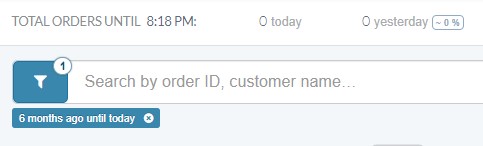
- Select the filter you want to apply and click
Confirm. You can combine multiple filters.
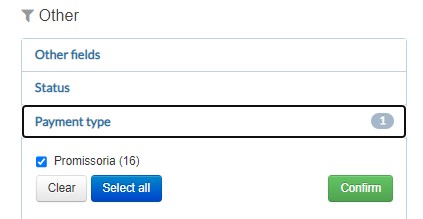
- After selecting the filters, copy the URL generated in your browser.
- Using an URL decoder tool, decode the URL so that It will look like the following example:
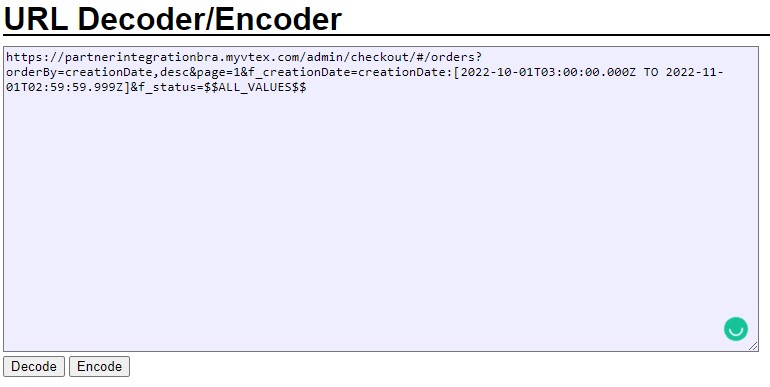
-
Copy only the URL extension after the question mark
?.For example:
orderBy=creationDate,desc&page=1&f_creationDate=creationDate:[2022-10-01T03:00:00.000Z TO 2022-11-01T02:59:59.999Z]&f_status=$$ALL_VALUES$$ -
In your browser, insert the API List orders path (
https://{accountName}.{environment}.com.br/api/oms/pvt/orders) followed by the URL excerpt from last step.For example:
https://{accountName}.{environment}.com.br/api/oms/pvt/orders?orderBy=creationDate,desc&page=1&f_creationDate=creationDate:[2022-10-01T03:00:00.000Z TO 2022-11-01T02:59:59.999Z]&f_status=$$ALL_VALUES$$ -
Click on
Enter.
You can use pagination and determine the number of orders per page by adding the parameters
_&page=1&per_page=15_at the end of your URL. Thepage=1means accessing the first page, andper_page=15means 15 orders on each page. You can change it as you wish, up to the limit of 30 pages.