SEO
2 min read
Search Engine Optimization (SEO) is one of the most essential strategies for improving your site's visibility in organic search engine results. Well-optimized pages are more likely to rank higher in search results, leading to higher traffic and better conversion rates.
Learn about best practices for improving your store SEO in the SEO guide.
FastStore provides configuration options, such as editable meta tags (title, description, author, and templates), which help search engines understand and index your content. You can define these settings during the project onboarding or update them later in the
discovery.config.js file.Setting SEO during the project onboarding
When starting a new FastStore project, you should configure your website's SEO tags by setting values for the Title Tag, Description Tag, Title Template, and Site Author. These tags are part of your site's optimization strategy.
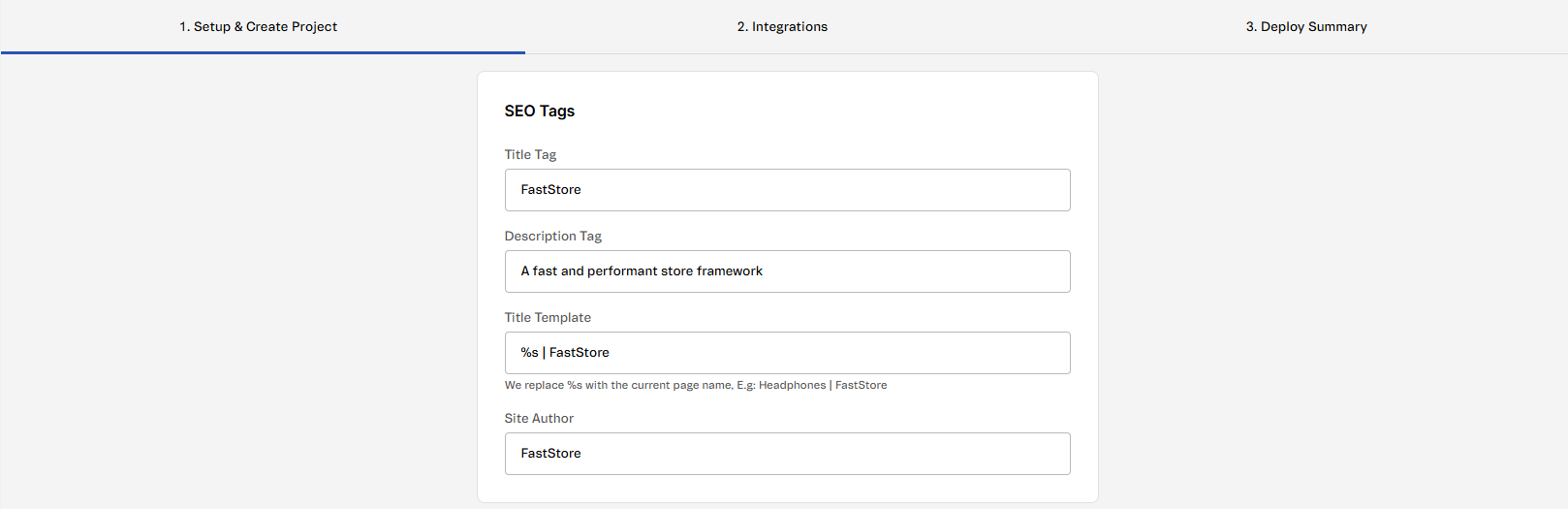
Default SEO settings
The default SEO values are defined in the
discovery.config.js file of your store. When you configure these settings in WebOps during onboarding, this file is automatically updated. Example:
_10 seo: {_10 title: 'FastStore Starter',_10 description: 'Fast Demo Store',_10 titleTemplate: '%s | FastStore',_10 author: 'Store Framework',_10 },
Managing SEO for PLPs and PDPs
After completing the onboarding process, you can update SEO settings in
discovery.config.js for PLPs and PDPs.Configuring SEO for PLPs and PDPs
Set title and description templates for Product Listing Pages and Product Detail Pages using `discovery.config.js`.
See more
Optimizing SEO by managing lazy loading on PLPs and PDPs
Improve SEO and page performance by controlling lazy loading behavior in custom sections.
See more
Configuring product price meta tag formatting on PDP
Set fixed decimal precision for the `product:price:amount` meta tag with `minPriceAmountFractionDigits`.
See more
Controlling search engine indexing
Control how search engines index storefront pages and follow their links using experimental SEO flags.
See more