FastStore WebOps: Custom branch configuration for production and preview
FastStore WebOps now lets you choose which Git branches generate production builds and preview deployments, helping you manage production and QA environments from a single repository.
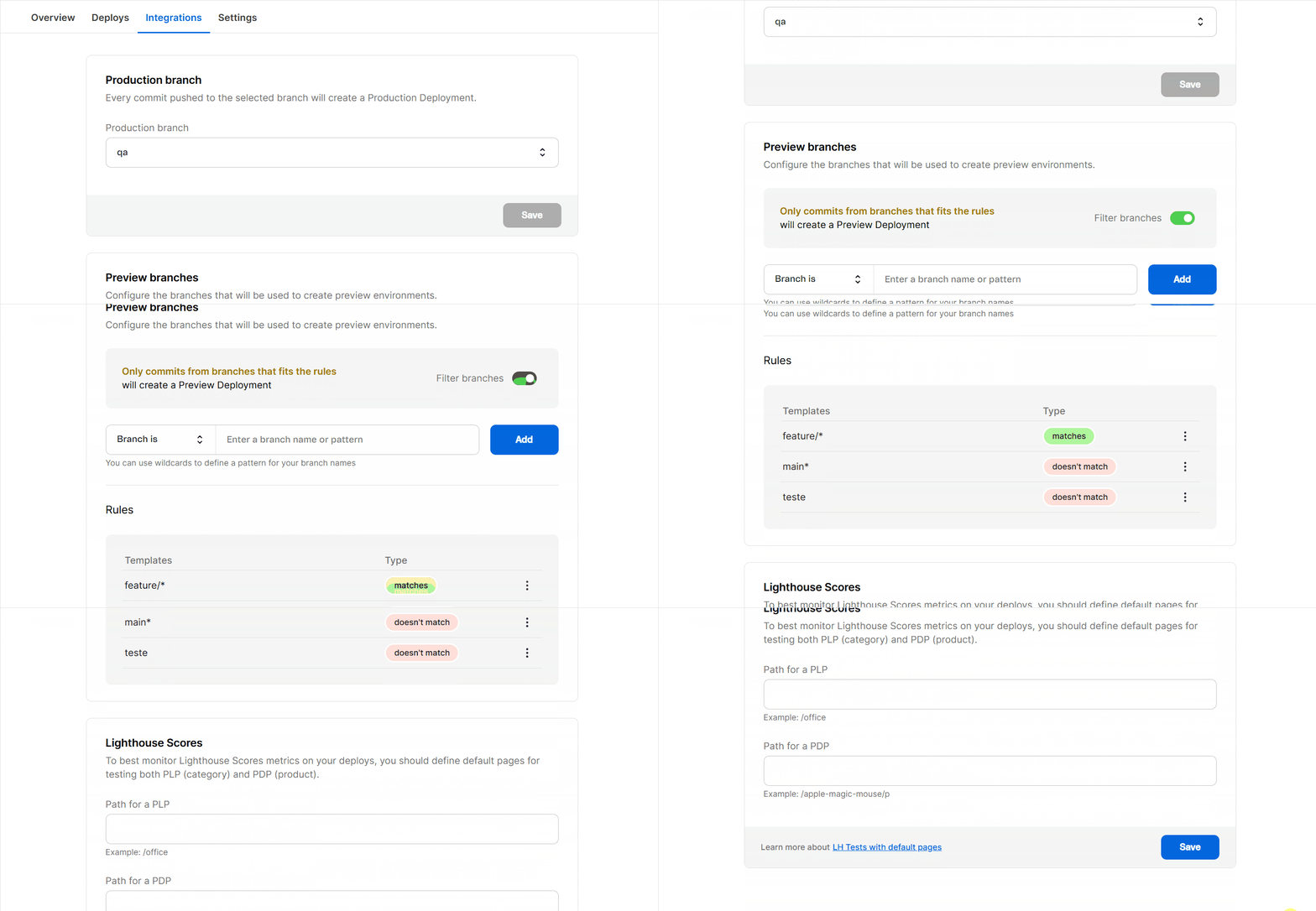
FastStore WebOps now supports custom branch configuration for both production builds and preview deployments. This change gives you more control over how your Git branching strategy aligns with your VTEX accounts, particularly when you maintain separate production and QA environments. It also helps you avoid unnecessary preview builds by filtering which branches should generate previews.
What has changed?
Previously, all deployments in FastStore WebOps were tied to your repository’s default branch (typically main), and every branch would generate preview deployments by default.
Now, you can:
- Select any branch to generate production builds for your store.
- Define include and exclude patterns to control which branches generate preview deployments.
- Manage separate production and QA environments from a single repository, each pointing to its own branch.
This flexibility enables you to optimize your development workflow, minimize unnecessary builds, and maintain a clear separation between production and testing environments.
Why did we make this change?
To support more advanced development workflows and reduce operational overhead, we developed branch customization in FastStore WebOps. The key benefits are:
- Manage production and QA deployments from a single repository.
- Eliminate code duplication between environments.
- Control which branches trigger preview builds, optimizing build resources and focusing on active development.
What needs to be done?
To configure a custom branch, access your FastStore WebOps dashboard and navigate to the Integrations tab:
- Set your desired production branch in the Production branch section.
- Use the Preview branch filters to include or exclude branches for preview deployments.
- Manage filter rules as needed to match your team's workflow.
For detailed instructions, see the guide Configuring production and preview branches in WebOps