Menu
Guides

Release Notes
Release Notes

Submenu customization per user navigation [CSS Handles]

Improved
July 17, 2020
1 min read

{"base64":"data:image/png;base64,iVBORw0KGgoAAAANSUhEUgAAAAQAAAABCAIAAAB2XpiaAAAACXBIWXMAAAsTAAALEwEAmpwYAAAAFUlEQVR4nGOIYGC4n+jz/+yGZTryACBEBVKjTZ8sAAAAAElFTkSuQmCC","img":{"src":"https://cdn.jsdelivr.net/gh/vtexdocs/dev-portal-content@main/images/menus-new-css-handles-with-modifiers-0.png","width":105,"height":20,"type":"svg"}}

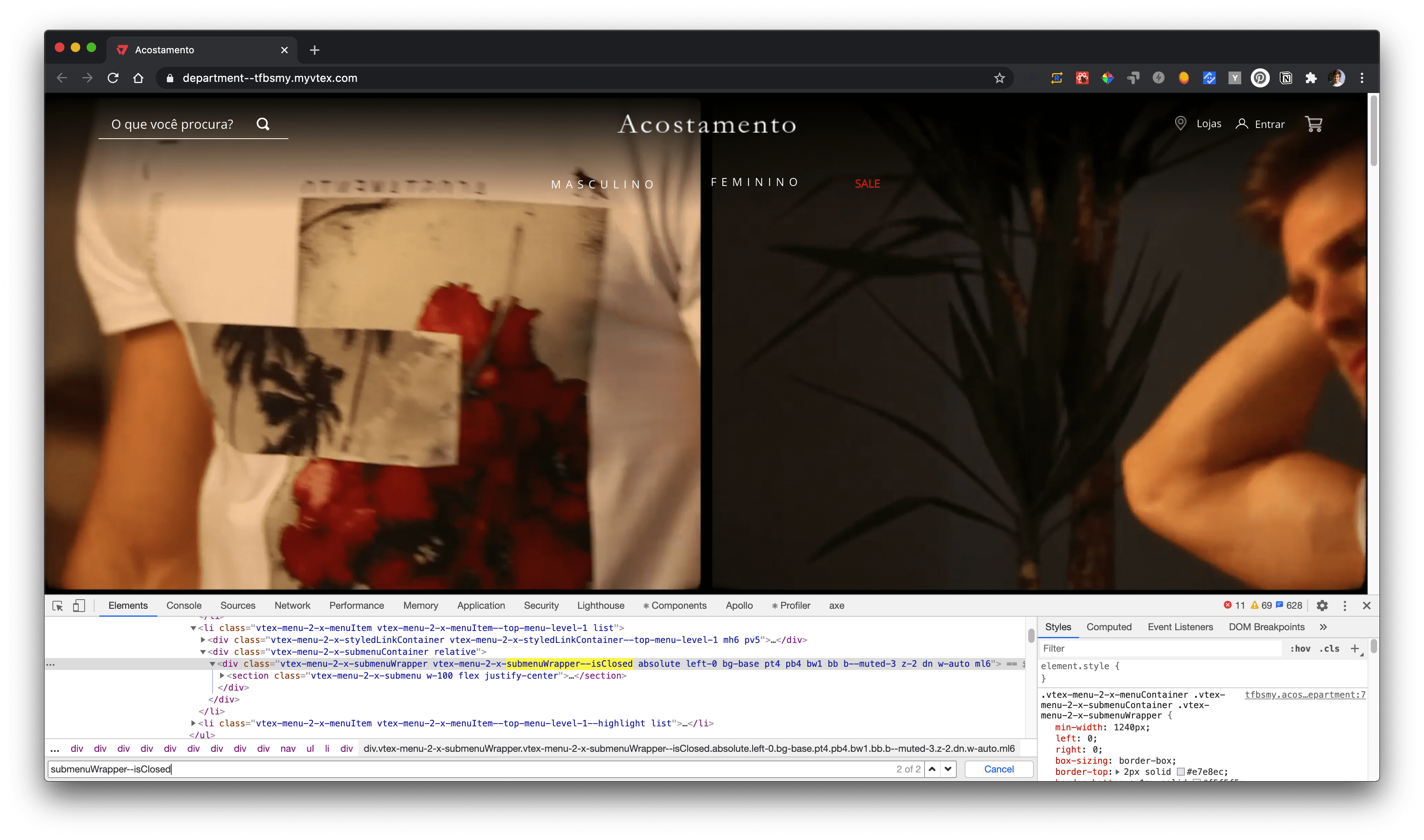
New CSS Handles with modifiers (submenuWrapper--isOpen and submenuWrapper--isClosed) were added to the Menu app, making it possible to create animation effects when the submenu opens and closes according to the user navigation.
{"base64":"  ","img":{"width":3584,"height":2114,"type":"png","mime":"image/png","wUnits":"px","hUnits":"px","length":1172665,"url":"https://cdn.jsdelivr.net/gh/vtexdocs/dev-portal-content@main/images/menus-new-css-handles-with-modifiers-1.png"}}

Notice how the menu animation showed above only works because the submenuWrapper--isClosed Handle is being applied.

For more on how to properly use CSS Handles, access the Using CSS Handles for store customization documentation.