FastStore WebOps: Choose your storefront build Node.js version
FastStore WebOps now allows you to choose the Node.js version used for storefront builds.
FastStore WebOps now includes the Node.js version section. This allows you to specify which Node.js runtime to use in your FastStore project builds, and ensure compatibility with FastStore v4, which is based on Next.js v16 and requires a more recent Node.js version.
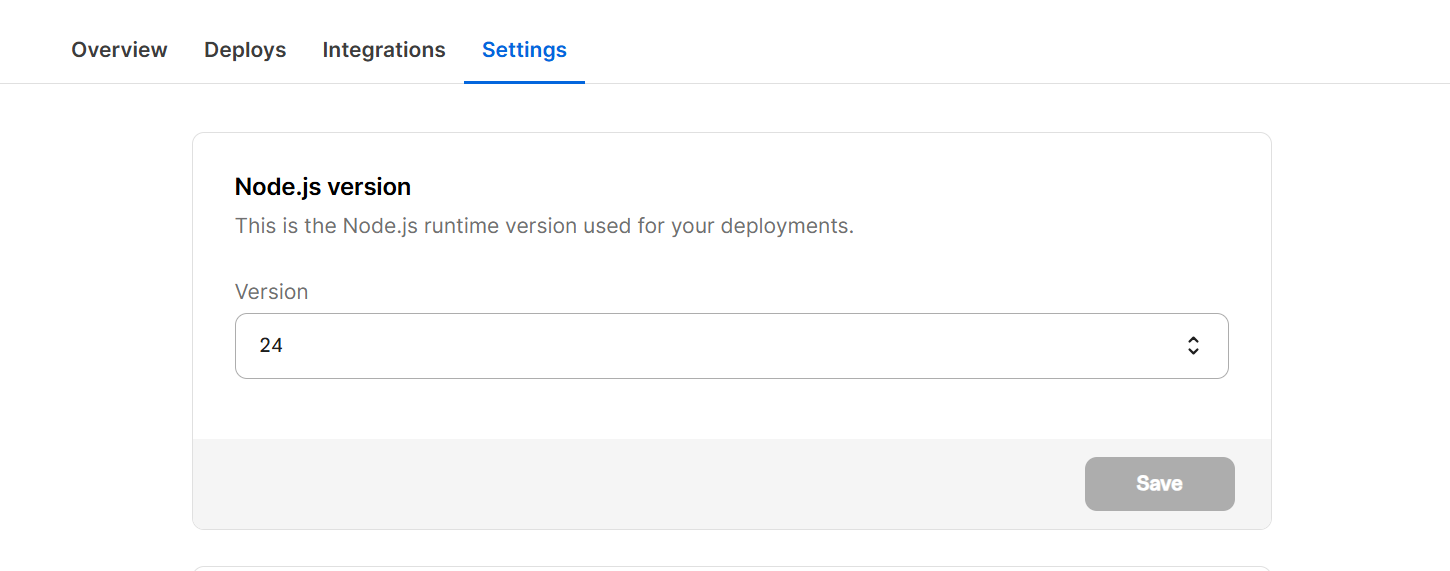
What has changed?
Previously, WebOps used a predefined Node.js version managed by the platform, and you couldn't explicitly choose which Node.js version your FastStore project should use.
Now, WebOps provides a Node.js version setting at the project level. In this setting:
- New FastStore projects created in WebOps are configured to use Node.js v24 by default.
- Existing projects continue to use their current Node.js version (v22 or v20), and you can update them when you're ready.
For more details about this feature, see the Settings section in the guide FastStore WebOps - Dashboard.
Why did we make this change?
By adding a Node.js version selector in WebOps, we give you more control over your build environment and make the FastStore v4 migration path clearer and safer.
What needs to be done?
Check the Node.js version of existing projects
- In the VTEX Admin, go to Storefront > FastStore WebOps and navigate to the Settings tab.
- In the Node.js version section, confirm which version your project is using (
v20orv22).
Existing projects continue using their current Node.js version until you update it.
Update the Node.js version when upgrading to FastStore v4
FastStore v4 requires Node.js v24 in WebOps. If you're upgrading from an earlier FastStore major, follow the instructions in the guide Upgrading FastStore to v4, including the WebOps steps after you update your repository and configuration.
Review new projects
New FastStore projects created in WebOps already use Node.js v24 by default. Only change this value if you have a specific reason to keep an older Node.js version.